
This is the worked example for a plain house, 1,200 to 1,800 sq ft, no cameras, no doors, where the provider’s rental router is not cutting it.
The build: a UDR7 gateway ($431) plus a U7 Pro ceiling access point and its PoE adapter, $708 all-in for the hardware. If one access point covers your home, the UDR7 alone is the whole network at $431.
The one ceiling to know before you buy: the UDR7 records a single 4K camera. If cameras are anywhere in your plans, even maybe next year, this is the wrong gateway. That is not an upsell, it is the dividing line between this design and the next one.
Everything below is the detail: the full parts table, why each choice, what breaks if you undersize, and the expansion path.
A worked example, not a specific customer project, illustrative reference design showing how the pieces fit.
Hardware prices verified 16 July 2026. Ubiquiti pricing changes, we confirm current pricing on every quote. Prices are indicative CAD, all-in. Contact AVNFi for a current quote.
The scenario
No cameras. No door access. Just a house, maybe 1,200 to 1,800 sq ft, where the internet provider’s rental router isn’t cutting it. Dead spots in the back bedroom, the WiFi drops when everyone’s streaming, and nobody wants to keep paying $15/month to rent a box.
This is the genuinely economical build, and it’s the one design on this list where “buy the cheap one” is the right answer.
The build
| Qty | Item | All-in each | Total |
|---|---|---|---|
| 1 | UDR7. Gateway + WiFi 7, all in one | $431 * | $431 |
| 1 | U7 Pro. Ceiling access point for the far end of the house | $257 | $257 |
| 1 | PoE+ adapter (30W). Powers the U7 Pro | $20 | $20 |
| Hardware total (indicative CAD, all-in) | $708 |
Not included: cable, mounts, labour. All quoted separately.
* UDR7’s price basis isn’t yet. We confirm before quoting. The U7 Pro at $257 is, $239 base + $18 memory surcharge, one of 29 prices in our catalogue.
If one access point covers it
Drop the U7 Pro and the adapter and you’re at $431 for the whole network. A UDR7 alone genuinely covers a small open-plan home or an apartment. That’s the floor, and it’s a real answer, not a stripped-down one.
Why each choice
UDR7, one box doing four jobs Router, firewall, WiFi 7 access point, and network controller. 2.3 Gbps of routing throughput, 300+ clients, four 2.5GbE ports and a 10G SFP+ slot. It replaces the rental router and the mesh kit at the same time, and there’s no monthly fee attached to any of it.
Why not the cheaper UX7 ($307)? Same WiFi 7, same throughput, but only two ports and no PoE. The UDR7’s four 2.5GbE ports mean a hardwired desk, a TV and a console without adding a switch. That’s worth $124.
U7 Pro, the second access point Where one AP won’t reach, a long bungalow, a finished basement, anything with a brick chimney in the middle. WiFi 7, 6 spatial streams, 6 GHz, 2.5GbE uplink. It goes on the ceiling at the far end and hands clients off to the UDR7 seamlessly.
PoE+ adapter, and here’s the trap
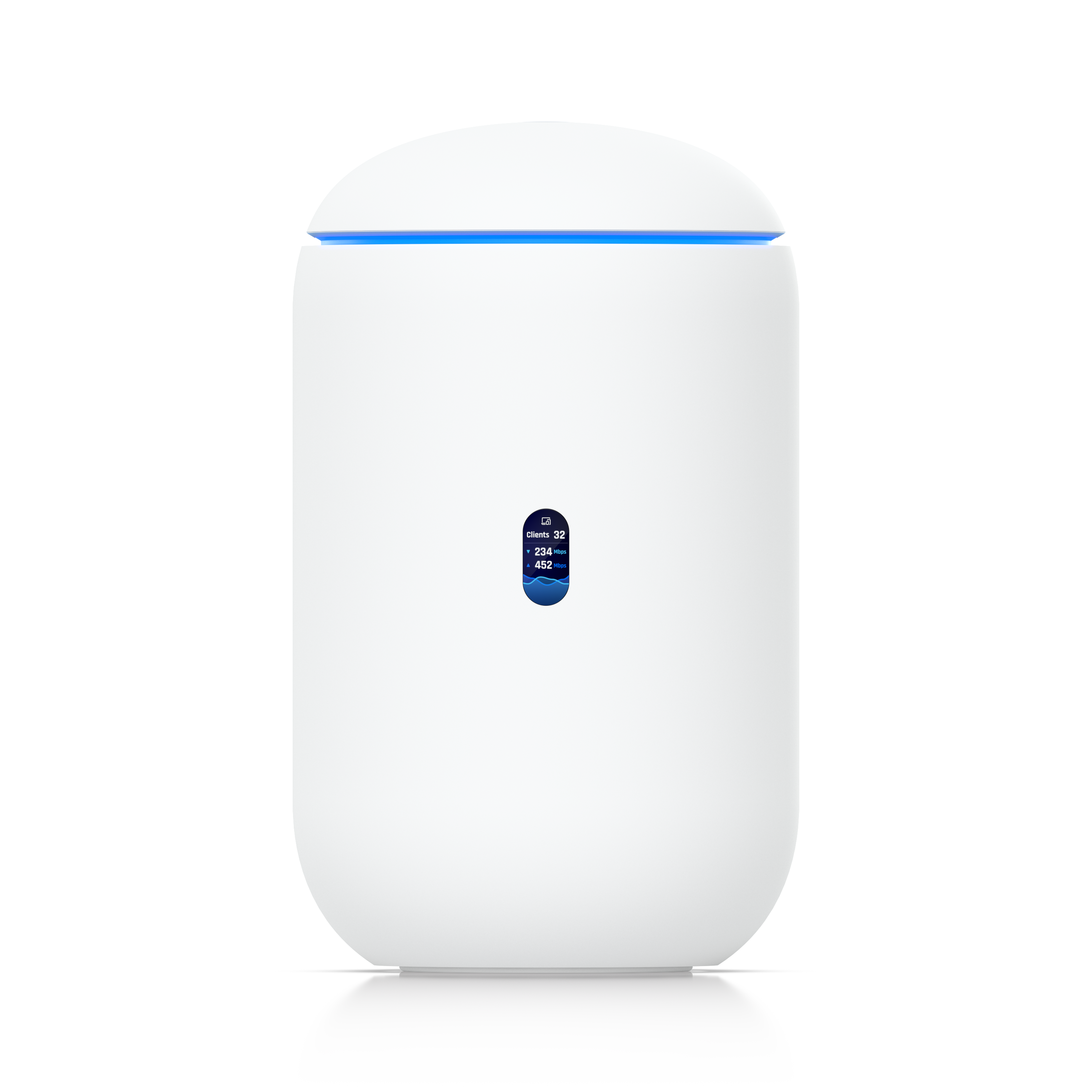
The UDR7 has one PoE port with a 15.4W budget. The U7 Pro needs PoE+ and draws 21W.
The gateway cannot power the access point. Straight up. Plug it in and it won’t come up, or it’ll come up and behave strangely, which is worse.
Three ways out:
| Option | Cost | Notes |
|---|---|---|
| PoE+ injector | $20 | A small brick between switch and AP. What this build uses. |
| U7 Lite instead (13W, plain PoE) | $151 | Fits inside 15.4W. Cheaper AP, less capable. Real option. |
| Add a USW-Ultra-210W | $307 | 7 PoE ports, 202W. Overkill here, right the moment you add a third device. |
The $20 injector is the correct answer for one AP. It stops being the correct answer at two.
What breaks if you undersize
Buying a UX7 to save $124. Two ports. Your TV, your desktop, your console and your printer do not fit in two ports, one of which is the internet feed. You’ll buy a switch, and you’ll have spent more than the UDR7 cost.
Assuming the gateway will power the access point. Covered above. 15.4W is not 21W. This is the single most common miss on small builds, the spec sheets say “PoE port” and “PoE-powered AP” and they are simply not compatible.
Mesh instead of a wired AP. If the second AP has no Ethernet back to the gateway, it repeats over WiFi and you lose roughly half the throughput at that end of the house. Sometimes there’s no choice. But if a cable can be run, run it, the cable is what makes the AP worth buying.
Skipping the second AP to save $277. If you have dead spots now, one box won’t fix them. UDR7’s WiFi 7 is genuinely good, but radio doesn’t go through a foundation wall because it’s new.
And the ceiling worth knowing about
The UDR7 records one 4K camera. Its capacity is “(5) HD / (2) 2K / (1) 4K“, and every current UniFi camera is 4K.
If cameras are anywhere in your plans, even “maybe next year”, this is the wrong gateway. Go read Design 1; the UDM-Pro handles 8. That’s not an upsell, it’s the actual dividing line between these two designs. If you’re sure it’s network only, the UDR7 is right and the UDM-Pro is $157 wasted.
The expansion path
| Want | Do | Cost |
|---|---|---|
| Third AP | Add a switch (USW-Ultra-210W, 202W, 7 PoE ports) and stop buying injectors. | $307 |
| More wired ports | Same switch. | $307 |
| One camera, ever | UDR7 will do exactly one at 4K. | camera only |
| Two or more cameras | Replace the gateway with a UDM-Pro and add a PoE switch → Design 1. | $588 + switch |
| Whole-home coverage | U7 Pro Wall for wall mounting, U7 Lite for small rooms ($151), U7 Pro Outdoor for the yard ($431). | varies |
The honest summary: this build has one hard ceiling, and it’s cameras. Everything else, more APs, more ports, more coverage, grows by adding a $307 switch. The gateway itself is good for years.
Prices indicative CAD, all-in, hardware at the store price, labour separate. Ubiquiti reprices without notice; lead time ~7 to 10 days. Verified against ca.store.ui.com and techspecs.ui.com 2026-07-16.