
For any UniFi product: what’s the step up, what’s the step down, and exactly what you gain or lose moving between them.
Want it as a table? UniFi cameras, compared puts the whole G6 line side by side, with a page for each model. Every price sits on one list. Every other line is there too: all thirteen UniFi lines, compared, from doorbells and recorders to switches, storage and UPS.
Hardware prices as of 29 July 2026. Ubiquiti pricing changes, so we confirm current pricing on every quote. Prices are indicative CAD, all-in. Contact AVNFi for a current quote.
How to read this page
The rest of this wiki answers “which one should I buy?”, a customer’s question. This page answers a different one: for any given product, what is directly above it and directly below it, and what actually changes when you move?
That’s the salesperson’s question. It’s what you need when someone points at a camera on a shelf and asks “what’s the difference between this one and that one?” and the honest answer is sometimes “nothing you’d notice.”
Three conventions, used throughout:
- “The one step that actually matters.” Every family has one rung where a real capability appears or disappears. Every other rung is a smaller adjustment. Knowing which is which is most of the job.
- “Don’t pay for this.” Every family also has a rung where the extra money buys a specification the buyer in front of you will never reach. Selling it anyway is how you lose them on the second job.
- Price honesty. Ubiquiti applies a per-unit memory surcharge that is invisible on the product page and only itemized at checkout. Some products carry none at all, and you cannot predict which from the category. The store price is not the final price. We quote all-in. Where we write “Ask us”, ask and we price it live. See pricing.
Specs are from techspecs.ui.com, read 16 July 2026. Nothing on this page is inferred. Where Ubiquiti doesn’t publish a number, we say so rather than estimate one. In particular: Ubiquiti publishes camera field of view in degrees, not focal length in millimetres. If someone quotes you a mm figure for a fixed-lens G6, they made it up.
1. Cameras: the ladder that matters most
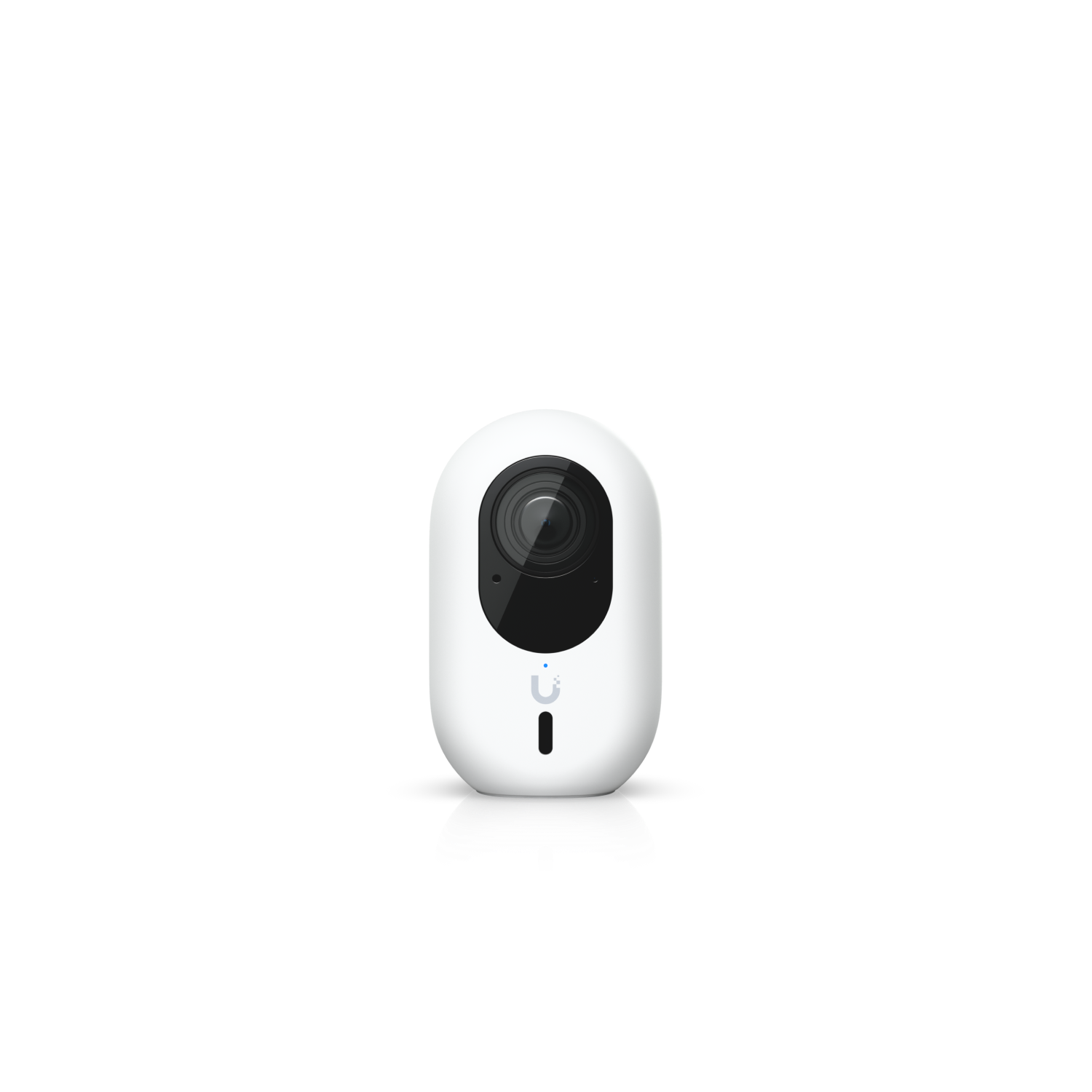
G6 Instant
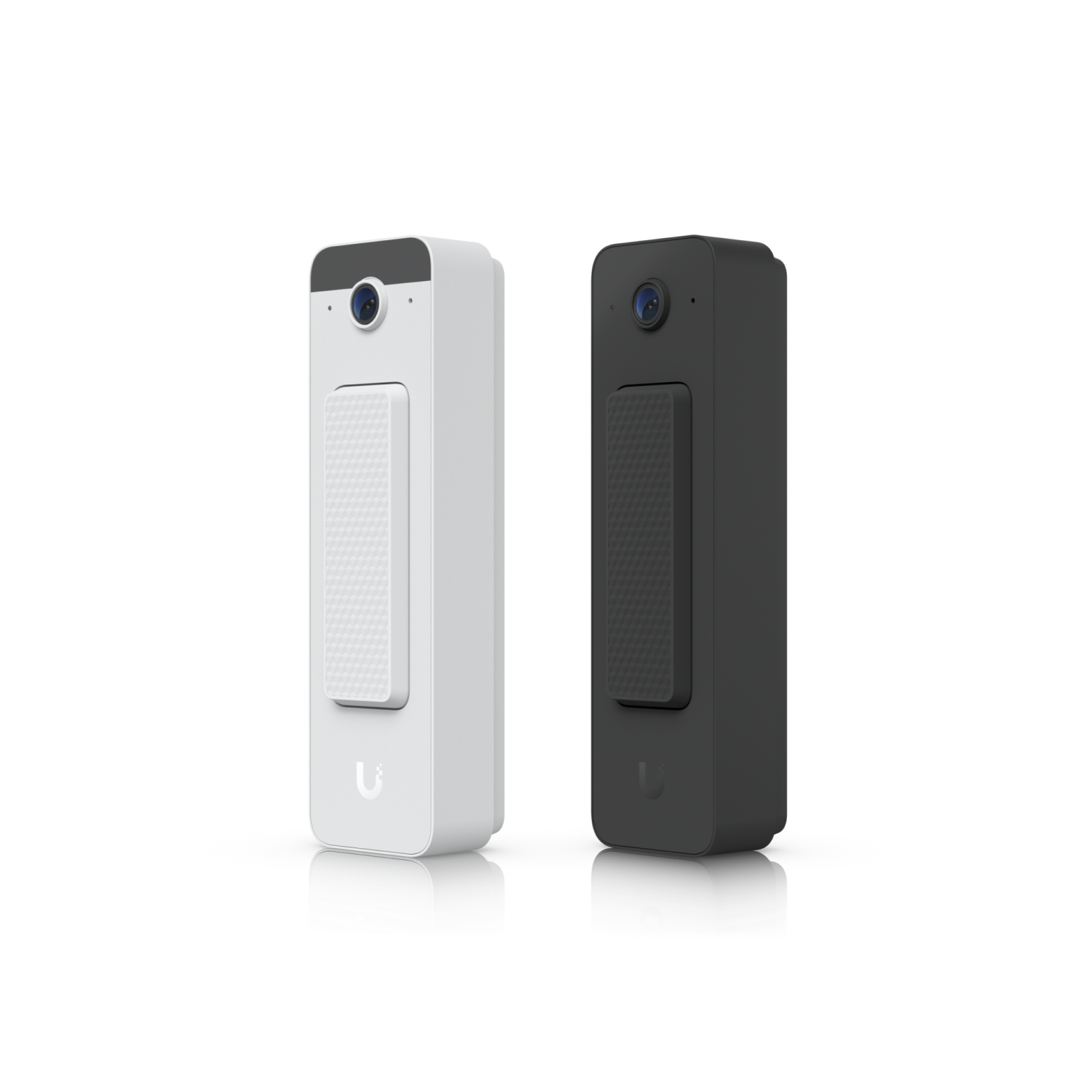
Doorbell Lite
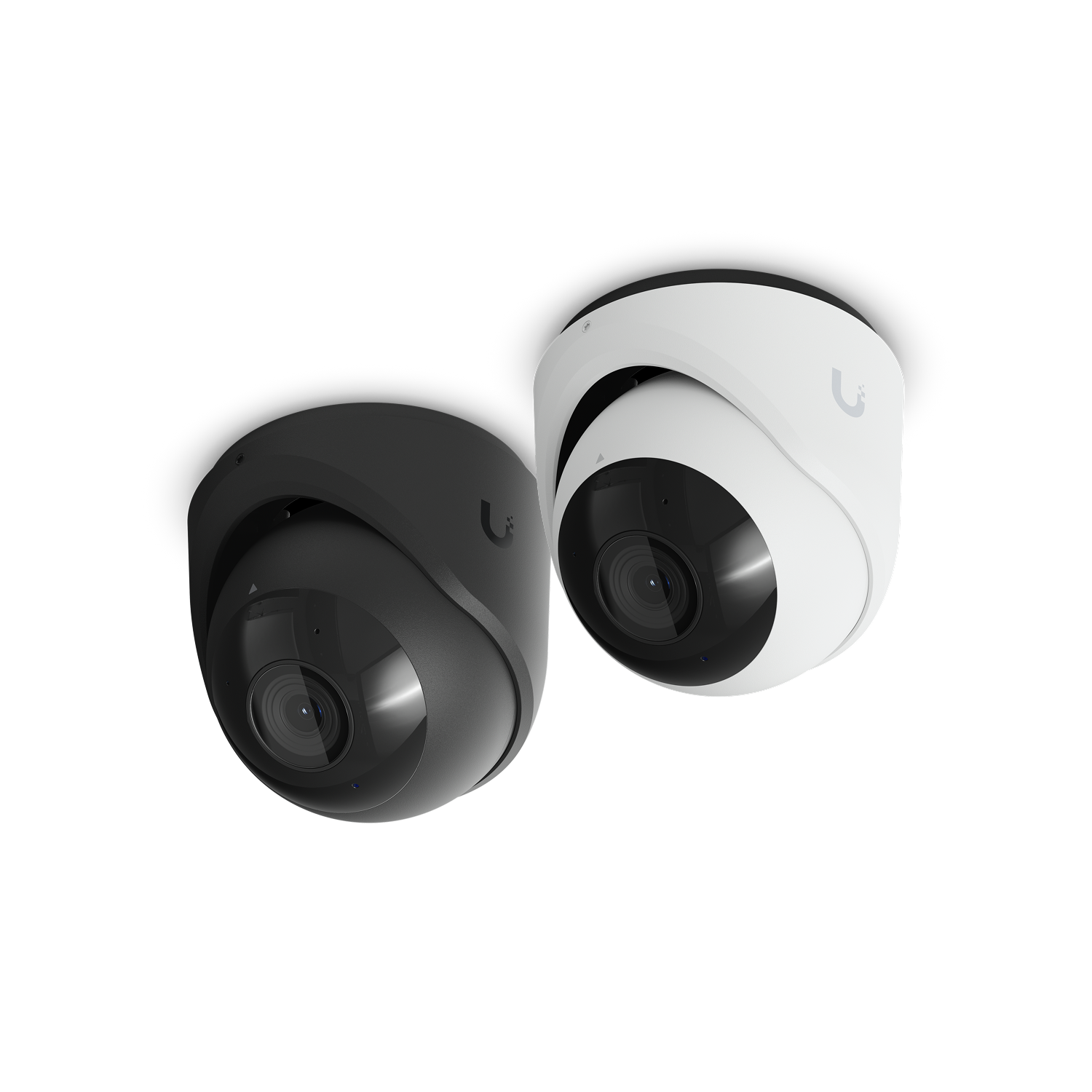
G6 Turret
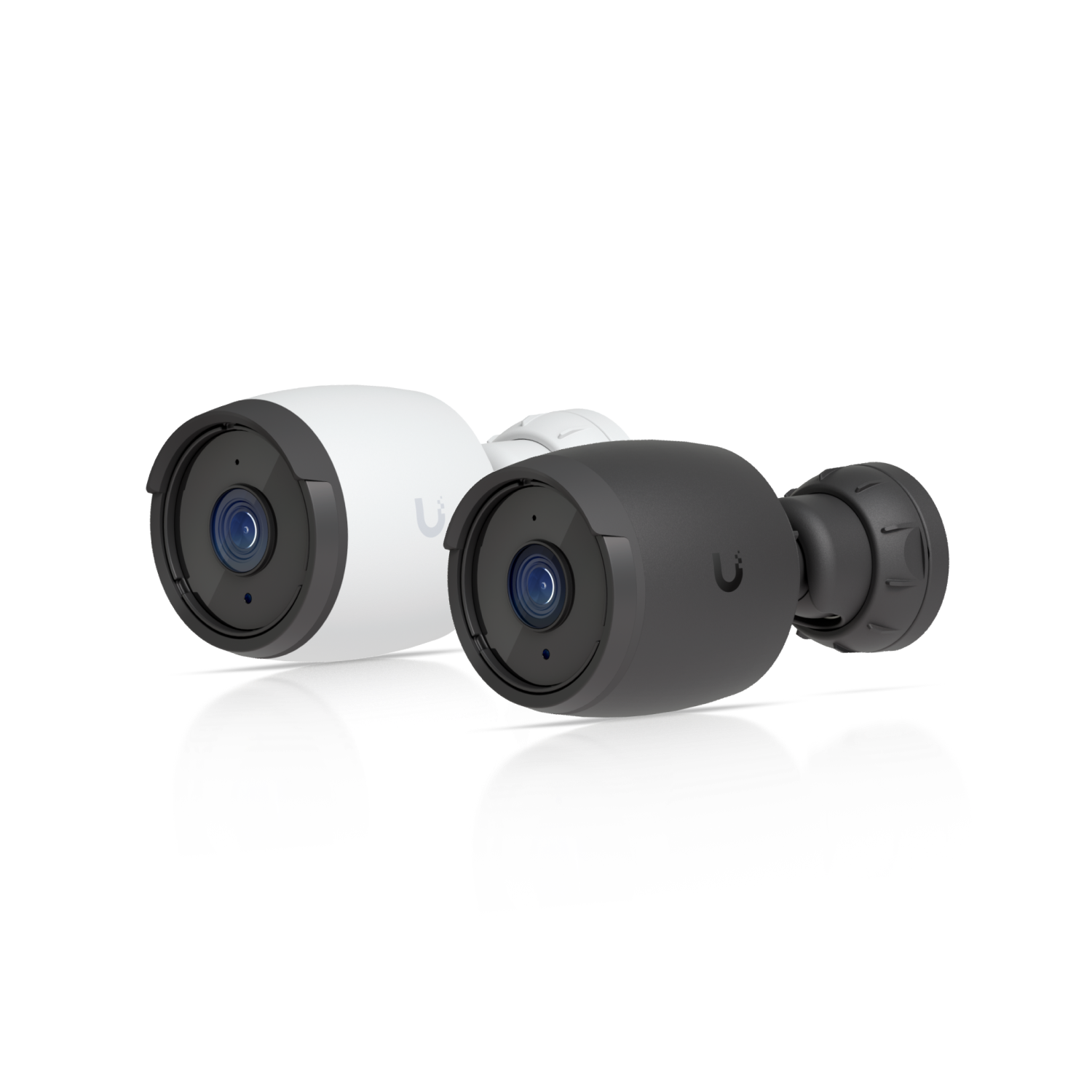
G6 Bullet
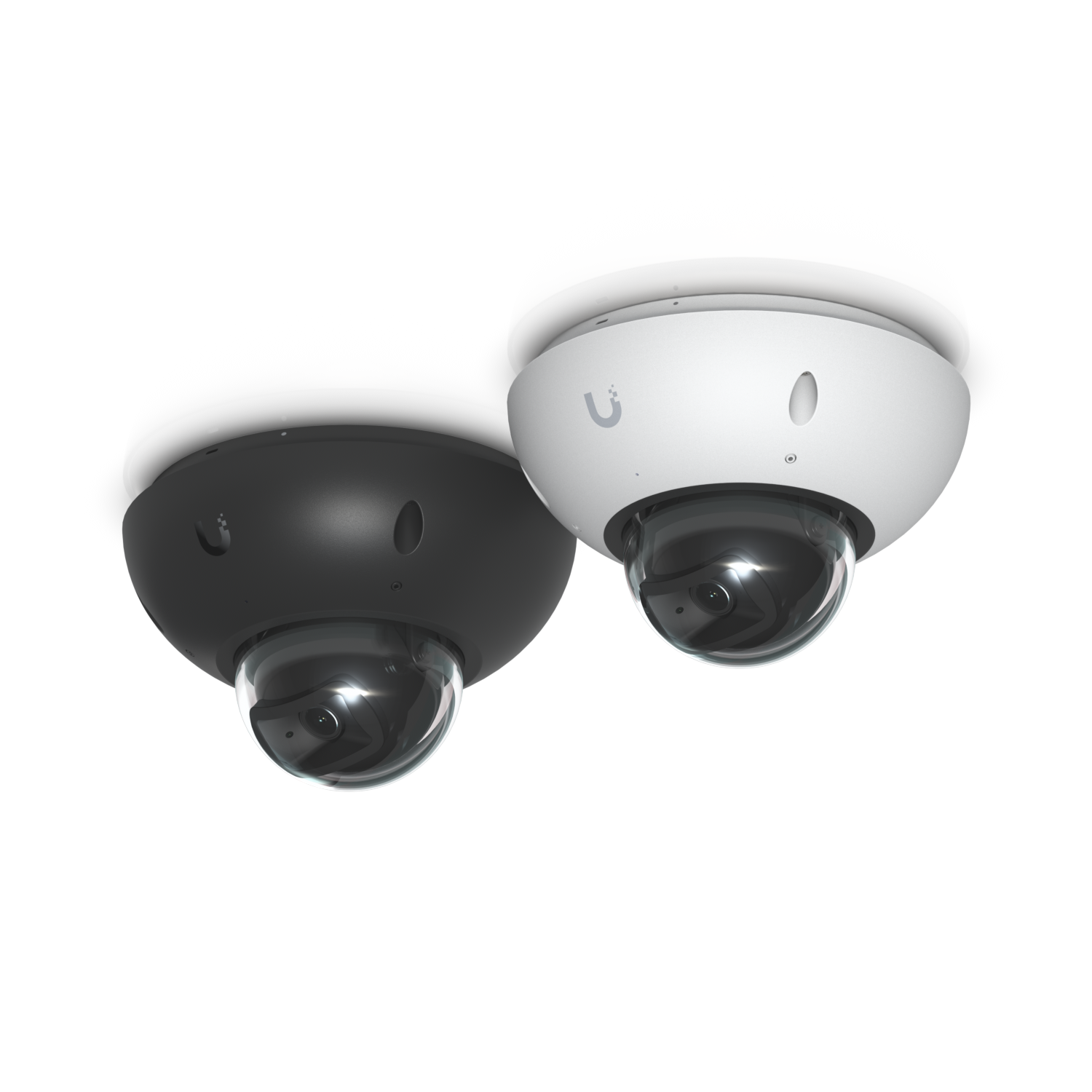
G6 Dome
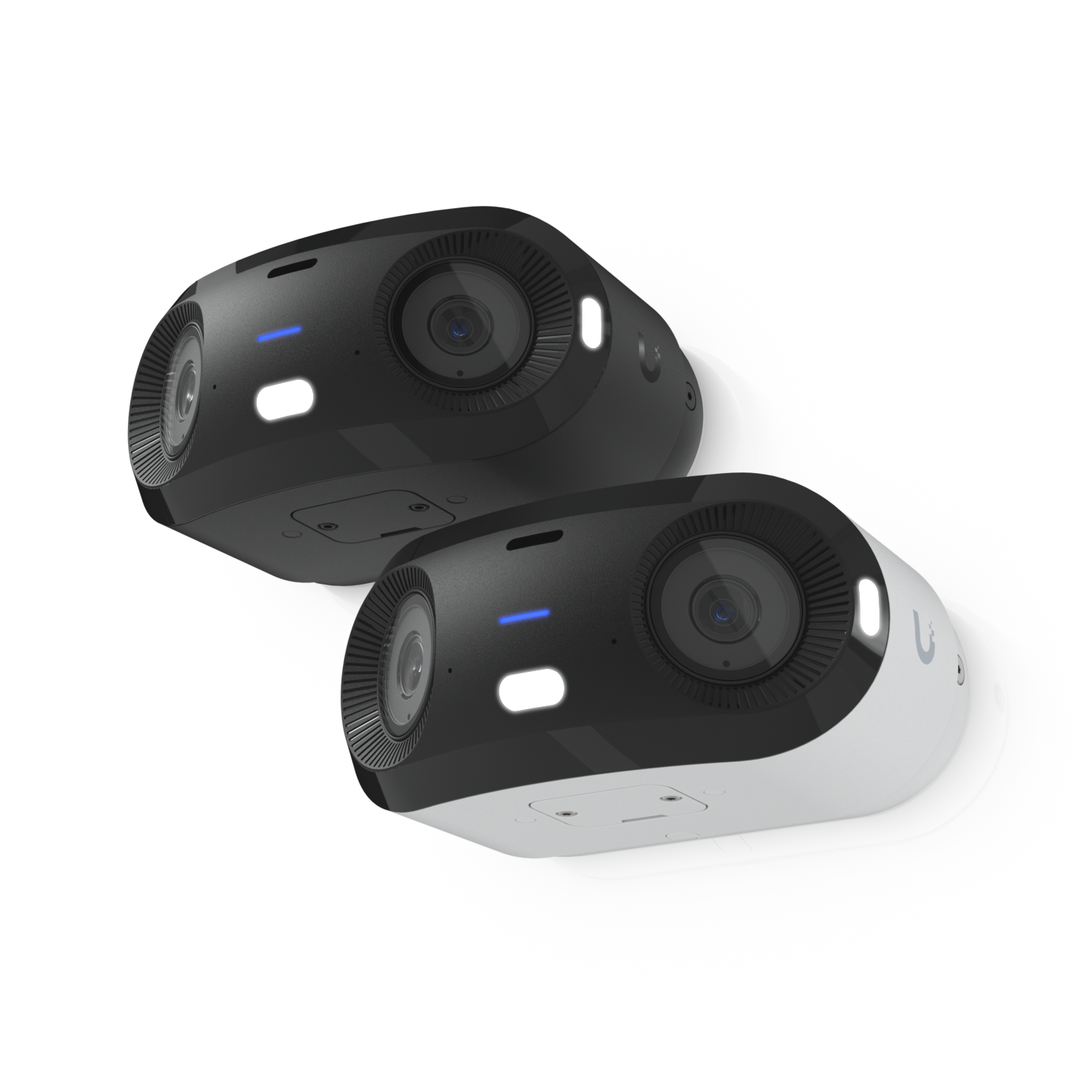
G6 180
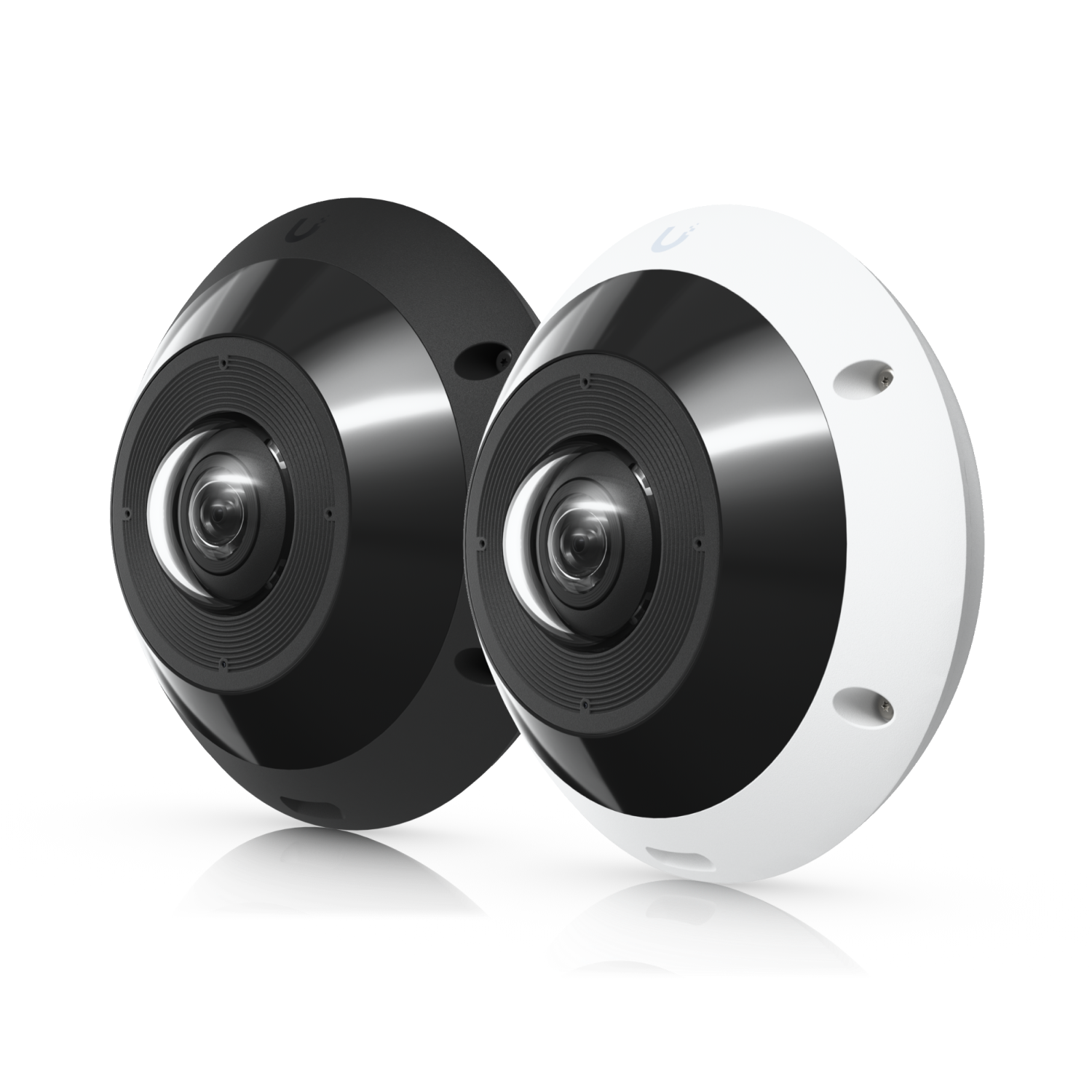
G6 Pro 360
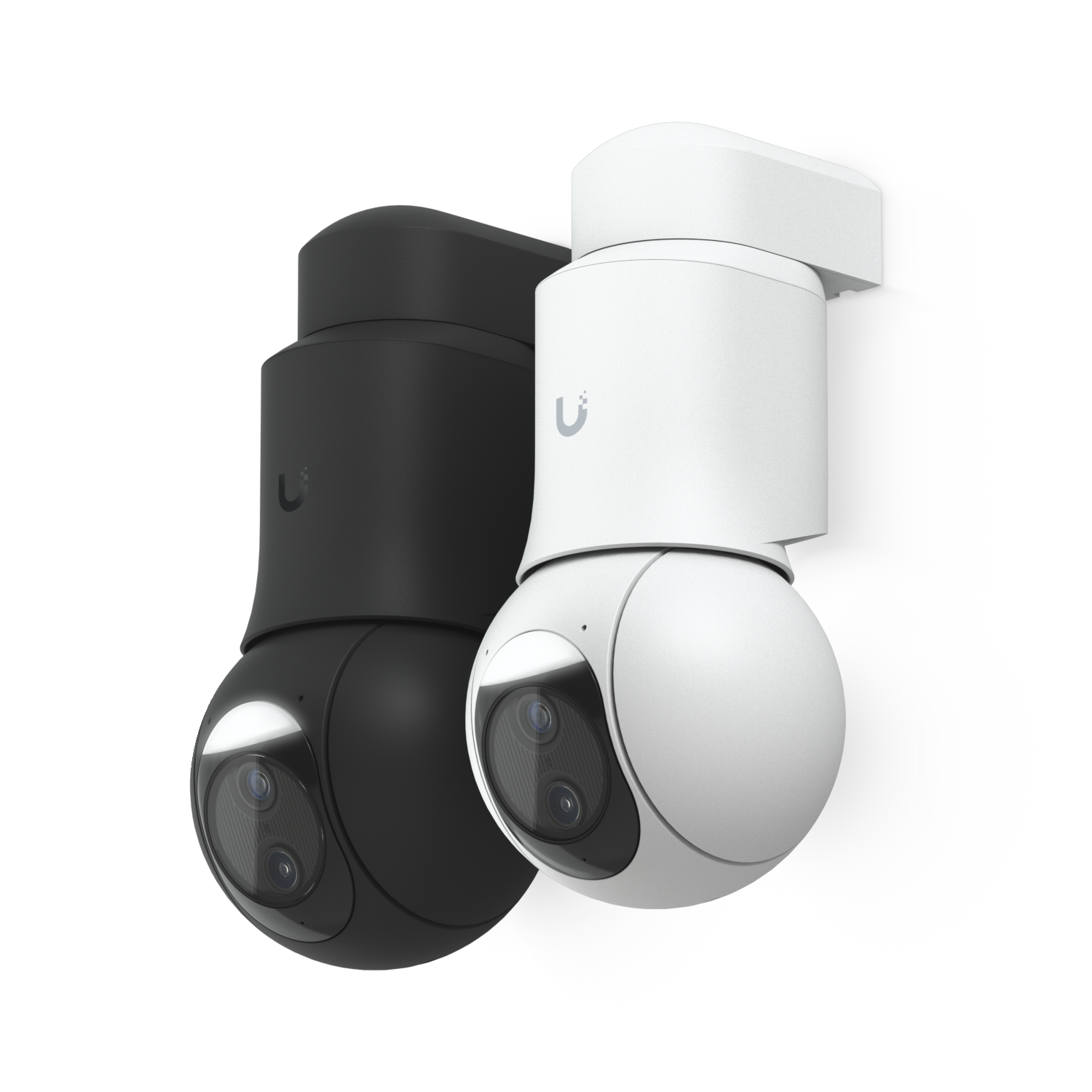
G6 PTZ
First, the thing nobody tells you
The G6 Turret, the G6 Dome and the G6 Bullet are the same camera.
Not similar. The same. Read the published specs side by side:
| G6 Turret | G6 Dome | G6 Bullet | |
|---|---|---|---|
| Sensor | 1/1.8″ 8MP | 1/1.8″ 8MP | 1/1.8″ 8MP |
| Field of view | H: 109.9°, V: 56.7°, D: 134.1° | H: 109.9°, V: 56.7°, D: 134.1° | H: 109.9°, V: 56.7°, D: 134.1° |
| Lens | Fixed focal length | Fixed focal length | Fixed focal length |
| IR range | 30 m | 30 m | 30 m |
| Frame rate | 30 FPS | 30 FPS | 30 FPS |
| Weatherproofing | IP66 | IP66 | IP66 |
Identical sensor. Identical field of view. Identical infrared reach. Identical frame rate. Identical weather rating.
So what are you actually paying the difference for? Three things, and only three:
- Impact rating. Turret IK04, Bullet IK04, Dome IK10. IK10 is the vandal-resistant one. That is the Dome’s entire argument.
- Cold. Turret −30 to 50 °C. Dome and Bullet −20 to 50 °C. In Calgary that is not a footnote. The Turret is rated for ten degrees more winter than the Dome you’d pay more for.
- Power draw. Dome 9.25 W, Bullet 9.9 W, Turret 12.5 W. All three run on standard PoE. On a switch with a tight budget, that 3 W difference multiplied across eight cameras is real, see switches and PoE.
The sales line: “They see exactly the same picture, exactly as far into the dark. You’re choosing a housing, not a camera. Pick the shape that suits the mounting, and pick the Dome only if someone might hit it.”
What each shape is FOR
- Turret, the default. An eyeball in a fixed base. Aims anywhere, IR is separated from the lens so you don’t get the reflection halo a dome can give you through its bubble. Rated coldest of the G6 line (−30 °C). If you have no reason to choose otherwise, choose this.
- Dome, for when the camera is reachable. IK10. A bubble over the lens, hard to grab and hard to re-aim. The trade: rated only to −20 °C, and it costs more for the same image.
- Bullet, for when you want the camera to be seen. A visible tube pointing at something says “you are on camera” in a way a turret doesn’t. Same image, IK04, −20 °C. Sold as a deterrent, not as an upgrade.
- 180, for a wall where a single camera must see the whole face of the building, corner to corner, and you cannot mount two. Two lenses stitched into one 7680 × 2160 image, H: 180°.
- 360 (fisheye), for a ceiling in the middle of a room where you want everything, in one recording, and you’ll digitally pan around it afterwards. H: 180°, V: 180°, D: 180°.
- PTZ, for a person watching live, or a defined patrol. It sees one thing at a time, superbly. It is not an “everywhere” camera, whatever it isn’t pointed at, it did not record.
- AI Multi Sensor, for one mounting point, one cable, one PoE port covering multiple directions at once with independent lenses.
- Instant / Doorbell, for a specific spot, indoors or at a door, cheaply.
The camera ladder
Ordered cheapest → dearest. Prices all-in CAD.
| Model | Price (all-in CAD) | What you get | What you give up vs. the step above | Step up to → (and the one reason why) | Step down to → (and when that’s the right call) |
|---|---|---|---|---|---|
| G6 Instant (UVC-G6-INS) | Not in our verified price data | 1/1.8″ 8MP, 30 FPS, H: 109.9°, the same sensor and field of view as a G6 Turret. Two-way audio. Wi-Fi (802.11 a/b/g/n/ac) with a USB adapter in the box; PoE-to-USB-C adapter not included. IK04. | IR range: 6 m. That is the whole story. Six metres. It is also IPX5, splash-resistant, not the IP66 of the outdoor line, and rated only −20 to 40 °C. It is a Wi-Fi camera by default, which means it competes for airtime with everything else you own. | Doorbell Lite, if the job is a door, buy the thing shaped like a doorbell. Or straight to G6 Turret, if the job is outdoors, this is not an outdoor camera. | Nothing below it. This is the floor. |
| Doorbell Lite (UVC-Doorbell-B) | $151 all-in, cart-verified | 1/2.7″ 5MP, 3:4 portrait (1920 × 2560), the tall shape that shows you the parcel on the step, not just the face. D: 175.9°. Two-way audio. PoE. Rated −30 to 50 °C, properly Calgary-rated. | IR range: 5 m. Smaller sensor (1/2.7″ vs 1/1.8″), lower resolution (5MP), 24 FPS not 30. No face recognition, no LPR. IPX5, no IK rating published. | G4 Doorbell Pro ($441, basis unconfirmed, Sold Out), if you want a second lens and a display at the door. Or G6 Turret, if you actually wanted a camera and just happened to point it at a door. | G6 Instant, if it isn’t a door and it’s indoors. |
| G6 Turret (UVC-G6-Turret-B) | $307 all-in, cart-verified | 1/1.8″ 8MP, 30 FPS, H: 109.9° / V: 56.7° / D: 134.1°. IR 30 m. IP66, IK04. −30 to 50 °C, the coldest-rated of the fixed G6 line. Standard PoE, 12.5 W. Microphone. Smart detections, face recognition, LPR. Black or White. | Against the Dome: IK04 not IK10 (grabbable), and it draws 12.5 W vs 9.25 W. Against the Pro line: a fixed lens, no optical zoom, a 1/1.8″ sensor not 1/1.2″, 10/100 not GbE, and 30 m IR not 40 m. | G6 Pro Turret, for the 1/1.2″ sensor and optical zoom. That’s the real one. Not the Dome. | Doorbell Lite if it’s a door; G6 Instant if it’s indoors and near. There is nothing between them, the drop is 30 m of IR to 6 m. |
| G6 Bullet (UVC-G6-Bullet-B) | $307 all-in, cart-verified | Identical optics to the Turret: 1/1.8″ 8MP, 30 FPS, H: 109.9°, IR 30 m, IP66, IK04. 9.9 W (lower than the Turret). Microphone. Visible deterrent shape. | Against the Turret: −20 to 50 °C, not −30. That is the only spec you lose. | G6 Pro Bullet, same reason as the Turret: sensor and zoom. | G6 Turret, same image, ten degrees more cold tolerance, and it disappears into a soffit. |
| G6 Dome (UVC-G6-Dome-B / -W) | $431 all-in, cart-verified ($400 + $31) | Identical optics to the Turret: 1/1.8″ 8MP, 30 FPS, H: 109.9°, IR 30 m, IP66. IK10, vandal-resistant. Lowest draw of the three at 9.25 W. Microphone. −20 to 50 °C. Black or white, both purchasable. | Against the Pro line: fixed lens, 1/1.8″ sensor, 10/100 port, 30 m IR. Against the Turret it gains nothing but IK10, and loses 10 °C of cold rating. | G6 Pro Dome, sensor and zoom. | G6 Turret, the honest step down. Same picture, less money, colder-rated. Only refuse it if the camera is within arm’s reach of someone who’d want it gone. |
| G6 Mini Dome (UVC-G6-Mini-Dome-W) | $462 all-in, cart-verified | 1/1.8″ 8MP, 30 FPS, H: 109.9°. Two-way audio (the full-size Dome has a microphone only). IK08. 9 W. | Weatherproofing: none published. It is an indoor camera. IR 20 m, not 30. Rated −20 to 40 °C, no outdoor winter. | G6 Dome, if it’s going outside, or anywhere it might get cold or wet. | G6 Instant, if the room is small and you don’t need PoE. |
| G6 180 (UVC-G6-180) | $462 all-in, cart-verified | Two lenses, one stitched 16MP 7680 × 2160 image, H: 180°. Dual 1/1.8″ 8MP sensors. IP66, IK04, two-way audio. Covers the full face of a wall from one point. | IR drops to 20 m (from the Turret’s 30). Frame rate drops to 20 FPS, the lowest of the G6 line. Requires PoE+, not standard PoE, at 15 W. IK04. −20 to 50 °C. | G6 Pro 360, only if the shape you need is a circle, not a strip. It is not “more 180”. | Two G6 Turrets. Say this out loud: two turrets is often cheaper, gives you 30 m of IR instead of 20, 30 FPS instead of 20, standard PoE instead of PoE+, and lets you aim them independently. The 180 wins when you have exactly one cable and one mounting point. |
| G6 Pro 360 (UVC-G6-Pro-360) | $771 all-in, cart-verified | Fisheye. H: 180°, V: 180°, D: 180°, a whole room from one ceiling point, 12MP 3504 × 3504 (1:1). 1/1.6″ 12MP sensor. IK10. IP66. −30 to 50 °C. Two-way audio. PoE+, 13.5 W. | IR range: 15 m, the shortest of any G6 outdoor camera. 24 FPS. And the big one: face recognition and LPR are not published for this camera. A fisheye is a coverage tool, not an identification tool. | AI Multi Sensor, if you need identification in several directions, not awareness in all of them. | G6 180, if the space is a wall, not a room. Or G6 Turret, if you’d rather identify one thing than notice everything. |
| G6 Pro Turret / Pro Bullet / Pro Dome | Not in our verified price data | This is the step. 1/1.2″ sensor (up from 1/1.8″). Optical zoom: F 5.85–13.8 mm, ƒ/1.5–ƒ/2.9, wide H: 113.8° down to tele H: 45.5°. IR 40 m. GbE port (not 10/100). 8MP 30 FPS. IP66. Pro Turret and Pro Bullet IK04; Pro Dome IK10. Pro Turret −30 to 50 °C; Pro Bullet and Pro Dome −20 to 50 °C. Two-way audio on Turret/Bullet; microphone only on the Pro Dome. | Against the PTZ: it can’t move. You set the zoom once, at install. | G6 PTZ, only if a human will actually drive it, or you have a defined patrol. | G6 Turret, and be honest that for a 10 m driveway the buyer will not see the difference. The 1/1.2″ sensor pays off in the dark and at distance. In daylight at close range, they’re both 8MP and both look excellent. |
| G6 PTZ (UVC-G6-PTZ) | Not in our verified price data | It moves. Two 1/1.8″ 8MP sensors, wide (F 4.46 mm, ƒ/1.65, H: 109.9°) and tele (F 16.3 mm, ƒ/2.4, H: 26.6°). 30 FPS. IR 30 m. IP66, IK04. −30 to 50 °C. Two-way audio. PoE+, 24.5 W, the second-hungriest camera here. | Against the AI Multi Sensor: it only looks one way at a time. Whatever it was not pointed at, it did not record. That is the single most misunderstood fact about PTZ cameras and it is worth saying to every buyer. Also: IR 30 m, not the Pro line’s 40 m. | AI Multi Sensor, if “recorded everything, always” matters more than “looked closely at one thing”. | G6 Pro Turret, if nobody is going to sit and drive it. An un-driven PTZ is an expensive fixed camera pointed at whatever it was left aimed at. |
| AI Multi Sensor 2 (UVC-AI-MS-2) | $1,005 all-in, cart-verified, $0 Ubiquiti surcharge | Two independent lenses on one mount, one cable, one PoE port. Each F 3.18–7.42 mm, ƒ/1.8–ƒ/2.8, 8MP 3840 × 2160, 30 FPS. Wide H: 108.8° / tele H: 42.8° per head. IK10. IP66. IR 20 m. Face recognition and LPR published. PoE+, 25 W. −20 to 50 °C. | Sensor size: 1/2.8″, the smallest on this ladder. Smaller than the G6 Turret’s 1/1.8″ and far smaller than the Pro line’s 1/1.2″. IR 20 m. Microphone only, no two-way audio. You are buying directions, not pixels per direction. | AI Multi Sensor 4, four lenses, 24 FPS, PoE++ at 34.6 W, no audio at all. One mount covering a full crossroads. | Two G6 Pro Turrets, bigger sensors, 40 m IR, 30 FPS, optical zoom, and two aim points instead of one. Cheaper, too, more often than you’d guess. The Multi Sensor’s argument is one hole in the wall, not image quality. |
The one step that actually matters: G6 → G6 Pro
Everything from the G6 Instant to the G6 Dome shares one sensor: 1/1.8″, 8MP, fixed focal length, 109.9° horizontal. You are buying housings, a shape, an IK rating, a cold rating, a power draw. The picture does not change.
The G6 Pro line is where the picture changes. A 1/1.2″ sensor instead of 1/1.8″, physically larger, which is what actually gathers light. Optical zoom, a lens that moves, not a crop. 40 m of infrared instead of 30. A gigabit port instead of 10/100.
That’s the rung. Below it you’re choosing furniture. Above it you’re choosing a camera.
Don’t pay for this
Don’t pay the Dome premium for a better picture. The G6 Dome costs more than the G6 Turret and gives you an identical sensor, field of view, IR range and frame rate, plus IK10, minus 10 °C of cold rating. If the camera is eight feet up under a soffit where nobody can reach it, IK10 is a number you paid for and will never use. Buy the Turret.
Don’t pay for a PTZ that nobody will drive. A PTZ that sits on a preset is a more expensive fixed camera with worse IR than a Pro Turret.
Don’t pay for the 180 when two turrets fit. The 180 buys you one mounting point. If you have two, two Turrets are better in IR range (30 m vs 20 m), frame rate (30 vs 20), PoE class (standard vs PoE+) and aim.
2. Gateways
The full prose treatment lives in Choosing a Gateway. This is the ladder view.
| Model | Price (all-in CAD) | What you get | What you give up vs. the step above | Step up to → (and the one reason why) | Step down to → (and when that’s the right call) |
|---|---|---|---|---|---|
| UX (UniFi Express) | Not in our verified price data | Built-in Wi-Fi. 50+ clients. 2× GbE. 10 W, USB-C powered. | 4 UniFi devices. Four. Throughput not published. Not published as Protect-capable, no cameras, at all. | UX7, 30+ devices instead of 4. | Nothing. This is the floor. |
| UX7 (Express 7) | Not in our verified price data | 2.3 Gbps IPS. 300+ clients, 30+ devices. Built-in Wi-Fi. 10 GbE + 2.5 GbE. 22 W. | Not published as Protect-capable. No PoE. 1 WAN port. | UDR7, same throughput and device count, but Protect-capable (1× 4K) and 15.4 W of PoE. | UX, only for a single-room job where four devices is genuinely the ceiling. |
| UCG-Ultra | Not in our verified price data | 1 Gbps IPS, 300+ clients, 30+ devices. 5 ports. 6.2 W, the lowest draw here. | Not Protect-capable. No Wi-Fi. No PoE. No bay. | UCG-Max, the NVMe bay: 5× 4K cameras appear. | UX7, if you want the Wi-Fi built in and don’t need the extra LAN ports. |
| UDR (Dream Router) | Not in our verified price data | 1 Gbps IPS, 150+ clients, 20+ devices. Wi-Fi built in. 40 W of PoE across 2 ports. Records 1× 4K. 19.37 W. | 20 devices. One 4K camera. No 3.5″ bay, internal recording only. | UDR7, 2.3 Gbps, 300+ clients, 30+ devices, 10G SFP+. | UCG-Ultra, if you have APs already and don’t want the router’s radio. |
| UDR7 (Dream Router 7) | Not in our verified price data | 2.3 Gbps, 300+ clients, 30+ devices. Wi-Fi built in. 10G SFP+ and 4× 2.5 GbE. Records 1× 4K. 26 W. | PoE drops to 15.4 W on 1 port (the UDR had 40 W on 2). Still one 4K camera. Still no 3.5″ bay. | UCG-Max, 5× 4K instead of 1. | UDR, only if 40 W of PoE on two ports matters more than 2.3 Gbps. That’s a real trade, not a downgrade. |
| UCG-Max | Not in our verified price data | 2.3 Gbps, 300+ clients, 30+ devices. NVMe SSD up to 2 TB, records 5× 4K. 5× 2.5 GbE. 16.1 W. | No Wi-Fi. No PoE. 2 TB of SSD is not a surveillance drive, see storage. | UCG-Fiber, 5 Gbps, 500+ clients, 50+ devices, 30 W of PoE, SFP+ for fibre. | UCG-Ultra, if cameras are genuinely never happening. |
| UCG-Fiber | Not in our verified price data | 5 Gbps, 500+ clients, 50+ devices. 2× 10G SFP+ and a 10 GbE RJ45. 30 W PoE. NVMe up to 2 TB, 5× 4K. 29.4 W. | Still 5× 4K, still on an SSD. Same camera ceiling as the UCG-Max for a lot more money. | UDM-Pro, the 3.5″ drive bay. | UCG-Max, identical camera capability. You are paying for the fibre port and the throughput, not the cameras. |
| UDM-Pro | $588 all-in, cart-verified | 3.5 Gbps, 1,000+ clients, 100+ devices. (1) 3.5″ NVR HDD bay, a real surveillance drive. 8× 4K cameras. 2× 10G SFP+. Rack 1U. 33 W. | No Wi-Fi. No PoE at all, you need a PoE switch beside it. One bay, so no redundancy. | UDM-SE, 180 W of PoE built in. The only mainstream rack gateway that can power its own cameras. | UCG-Fiber, and accept 5× 4K on an SSD instead of 8× 4K on a drive you choose. |
| UDM-SE | Not in our verified price data | Everything the UDM-Pro is, plus a 180 W PoE budget and a 2.5 GbE port. 50 W. | Same 8× 4K, same single bay, same 3.5 Gbps. You’re buying the PoE. | UDM-Pro-Max, 15× 4K and two bays. | UDM-Pro, if you’re already buying a PoE switch, the 180 W is redundant. |
| UDM-Pro-Max | $926 ($859 base + $67 Ubiquiti surcharge, cart-verified) | 5 Gbps, 2,000+ clients, 200+ devices. (2) 3.5″ bays. 15× 4K. 2× 10G SFP+ and 2.5 GbE. 60 W. | No PoE. No Wi-Fi. | UDM-Beast, 40× 4K and 25 Gbps. | UDM-Pro, if 8 cameras is the honest ceiling. The second bay is for retention and redundancy, not speed. |
| UDM-Beast | $2,319 all-in, cart-verified | 25 Gbps, 7,500+ clients, 750+ devices. (2) 3.5″ bays, 40× 4K. 2× 25G SFP28, 8× 10 GbE RJ45. 100 W. | Nothing, within Protect. This is the top of the Protect-capable range. | EFG, only if you’ve stopped needing an NVR and started needing a firewall. | UDM-Pro-Max, same two bays. You are paying for 25 Gbps and 40 cameras, not for storage. |
| EFG (Enterprise Fortress Gateway) | Not in our verified price data | 12.5 Gbps IPS, 5,000+ clients, 500+ devices. 2× 25G SFP28. Rack 1U. 82 W. | No drive bays. Not published as Protect-capable. You have left the NVR world entirely. | EF-Core, 79 Gbps, 22,500+ clients, 100G QSFP28. | UDM-Beast, if you still want the cameras in the same box. |
| EF-Core (Enterprise Firewall Core) | Not in our verified price data | 79 Gbps, 22,500+ clients, 2,250+ devices. 4× 100G QSFP28, 4× 25G SFP28. 171 W. | No bays. Not Protect-capable. | Nothing. This is the ceiling. | EFG, 12.5 Gbps is already far beyond any building AVNFi would put UniFi in. |
The one step that actually matters: UCG-Fiber → UDM-Pro
The 3.5″ drive bay. Everything below the UDM-Pro records one to five 4K cameras onto a small internal SSD. Everything from the UDM-Pro up records eight to forty onto a real surveillance drive you choose and size.
A modest house (front, back, both sides, garage, driveway) is six cameras. That number sails past everything below the UDM-Pro. The bay is the decision. Nothing else on the gateway spec sheet comes close.
Don’t pay for this
Throughput and client count. If the building has a 1 Gbps internet plan, a 3.5 Gbps gateway is not the bottleneck and a 5 Gbps one changes nothing. “1,000+ clients” is a number a home will never approach; “7,500+” is a number most businesses won’t. Nobody has ever regretted buying a gateway for its drive bay. People regret buying one for its Gbps every week.
2b. The separate-brain ladder: UXG gateways and CloudKeys
Every model above is a console: gateway and controller in one box. Ubiquiti’s second line splits them. The UXG gateways are what Ubiquiti calls independent gateways, and each one is listed as “managed by a CloudKey, Official UniFi Hosting, or UniFi Network Server.” They do not run their own controller. You supply one.
| Model | What it is | Routing (IDS/IPS) | Step up to → (the one reason) |
|---|---|---|---|
| UXG-Lite | Compact independent gateway. Up to 10× the routing of the old USG. USB-C powered. | Not published | UXG-Max for 2.5G throughout and multi-WAN |
| UXG-Max | Compact multi-WAN independent gateway, full 2.5G, small-to-medium sites. (1) 2.5 GbE WAN, (4) 2.5 GbE LAN. | Up to 2.3 Gbps | UXG-Fiber for 10G and an integrated switch |
| UXG-Fiber | Desktop 10G independent gateway with an integrated 4-port 2.5 GbE switch and (1) PoE+ port. | 5 Gbps | UXG-Pro for multi-WAN and Power Backup |
| UXG-Pro | 10G multi-WAN independent gateway with UniFi Power Backup support. | 3.5+ Gbps | UXG-Enterprise for 25G and PSU redundancy |
| UXG-Enterprise | 25G independent gateway. Shadow Mode high availability with automatic failover (VRRP), (2) hot-swap PSUs, 1.3″ touchscreen. | 12.5 Gbps | Nothing. This is the ceiling of the line. |
And the controllers they’re paired with:
| Model | What it is |
|---|---|
| CloudKey+ (UCK-G2-SSD) | Compact UniFi Console that connects to the Site Manager at unifi.ui.com. Full UniFi application suite, pre-installed 1 TB SSD, PoE powered, Bluetooth setup. |
| CloudKey Enterprise (CK-Enterprise) | UniFi Console for large scale: 1,000+ Network devices, 10,000+ clients, (1) 10G SFP+ and (1) GbE RJ45 LAN, (2) 550W redundant PSUs, 1U. |
| Official UniFi Hosting | Not hardware. A paid monthly subscription running your UniFi Network controller on Ubiquiti’s infrastructure, up to 1,000 Network devices, managed from unifi.ui.com. |
Don’t pay for this
This whole ladder, if you have one building. A UDM-Pro puts the gateway and the controller in one box for one price with no subscription. Splitting them costs more and adds a part. The split earns its keep when the controller genuinely needs to live somewhere else: many sites managed centrally, or a site where nobody wants a controller on the premises at all. That’s a real need and we build for it. It just isn’t most homes or most single offices.
The honest limit: Ubiquiti does not publish Protect camera capability for any UXG model. If cameras are in scope, plan a separate recorder.
Current pricing for the UXG line, the CloudKey line and Official UniFi Hosting on request.
3. Switches
Full treatment: Switches and PoE.
| Model | Price (all-in CAD) | What you get | What you give up vs. the step above | Step up to → (and the one reason why) | Step down to → (and when that’s the right call) |
|---|---|---|---|---|---|
| USW-Flex-Mini | $39 all-in, cart-verified, $0 Ubiquiti surcharge | 5 ports. 2.5 W. Itself PoE-powered or USB-C powered. Silent, palm-sized. | Zero PoE output. It cannot power a single camera or access point. It is a port multiplier, nothing more. | USW-Ultra, 7 PoE+ ports appear. | Nothing. |
| USW-Ultra | Not in our verified price data | 8 ports, 7 PoE+ out, 1 PoE++ in. L2. Fanless. | The PoE budget is conditional on how you power it. Published verbatim: PoE++ input: 42 W / PoE+ input: 16 W / 60 W adapter: 42–52 W / 210 W AC adapter: 202 W. The AC/DC adapter is excluded. Without one, your real budget is 42 W, three G6 Turrets at 12.5 W and you are out. | USW-Ultra-210W, the same switch with the 210 W adapter in the box: 202 W instead of 42 W. | USW-Flex-Mini, only if nothing needs power. |
| USW-Ultra-210W | $307 all-in, cart-verified | Identical spec sheet to the USW-Ultra, but it ships with the 210 W AC adapter: 202 W of real PoE budget across 7 PoE+ ports. Max 30 W per port. L2. Fanless. | L2 only, no inter-VLAN routing. PoE+ maximum per port (30 W), it cannot feed a PoE++ device. 8 ports total, no 10G uplink. | USW-Pro-24-PoE, an unconditional 400 W budget, 24 ports, L3, and PoE++ on 8 of them. | USW-Ultra, only if you are already buying the 210 W adapter separately. Otherwise this is the same switch with a 160 W difference in what it can actually deliver. |
| USW-Pro-24-PoE | $1,025 all-in, cart-verified | 24 ports (16 PoE+, 8 PoE++), 400 W unconditional, 2× 10G SFP+ uplinks. L3. Rack 1U. Max per port: PoE 15.4 W / PoE+ 30 W / PoE++ 64 W. 450 W including PoE output. | Against the 48: half the ports, half the budget (400 W vs 600 W), 2 uplinks vs 4. | USW-Pro-48-PoE, 48 ports and 600 W, when 24 ports is genuinely full. | USW-Ultra-210W, 202 W and 7 ports is enough for a house. A rack switch in a home closet is often just noise you paid for. |
| USW-Pro-48-PoE | $1,617 ($1,499 base + $118 Ubiquiti surcharge, cart-verified) | 48 PoE ports, 600 W, 4× 10G SFP+. L3. Rack 1U. 660 W max. | Against the Pro HD 24: more ports, but the same 600 W budget spread across twice as many of them. | USW-Pro-HD-24-PoE, 600 W across 24 ports instead of 48. Twice the watts per port. | USW-Pro-24-PoE, do the PoE arithmetic before you assume you need 48. 48 ports at 600 W averages 12.5 W each. That is one G6 Turret per port and nothing spare. |
| USW-Pro-HD-24-PoE | Not in our verified price data | 24 PoE ports, 600 W, 4× 10G SFP+. L3. Rack 1U. | Against the XG line: 10G SFP+ uplinks, not 25G SFP28. PoE++ ceiling, not PoE+++. | USW-Pro-XG-24-PoE, 720 W, PoE+++, and 25G SFP28 uplinks. | USW-Pro-48-PoE, if you need the port count more than the watts per port. This is the real 24-vs-48 question, and it isn’t about ports. |
| USW-Pro-XG-24-PoE | Not in our verified price data | 24 ports, 720 W, PoE+++, 2× 25G SFP28. L3. 870 W max. | — | USW-Pro-XG-48-PoE (48 ports, PoE+++, 4× 25G SFP28, total budget not published in our spec data). | USW-Pro-HD-24-PoE, 600 W vs 720 W. If nothing on the site needs PoE+++, the difference is 120 W and a fibre standard you aren’t using. |
The one step that actually matters: USW-Ultra → USW-Ultra-210W
It looks like a trim level. It isn’t. The two switches have the same published spec table. The difference is a power adapter in the box.
Without it, the Ultra’s PoE budget is 42 W on a PoE++ input, or 16 W on a PoE+ input. With the 210 W adapter, it’s 202 W.
That is three cameras versus sixteen, from an identical-looking switch. It is the single most common way a UniFi camera job runs out of power on day one, and it’s invisible unless you read Ubiquiti’s conditional-budget footnote. Read it every time. Details in PoE budgeting.
Don’t pay for this
Port count. 48 ports at 600 W is 12.5 W per port averaged, exactly one G6 Turret each, with nothing left. The USW-Pro-HD-24-PoE gives you the same 600 W across 24 ports: 25 W per port. On a camera-heavy site the 24-port switch is the bigger switch. Count watts, not holes.
L3 on a flat network. If the site has one VLAN, layer 3 routing on the switch is a feature that will never be switched on.
25G SFP28 uplinks into a building whose internet is 1 Gbps.
4. Access points
Full treatment: Choosing Wi-Fi Access Points.
An honesty note first: Ubiquiti does not publish radio specifications, client counts or throughput figures for its access points on the tech-spec pages we read. What it publishes is power draw, PoE class, and uplink port speed. So that is what this ladder compares. Anyone selling you a UniFi AP on a “supports 300 clients” number is quoting something Ubiquiti didn’t publish. Coverage is decided by walls and mounting, not by a datasheet, see the access points page.
| Model | Price (all-in CAD) | What you get | What you give up vs. the step above | Step up to → (and the one reason why) | Step down to → (and when that’s the right call) |
|---|---|---|---|---|---|
| U7-Lite | $151 all-in, cart-verified | Standard PoE, 13 W. 2.5 GbE uplink. Ceiling/wall. | PoE, not PoE+. Lowest draw in the line, which is also the tell: less radio to power. | U7-Pro. PoE+ at 21 W. The power budget is the proxy for the radio. | Nothing. This is the floor of the Wi-Fi 7 line. |
| U7-IW (In-Wall) | $231 all-in, cart-verified | Fits a wall box. 3× 2.5 GbE ports, it’s an AP and a 3-port switch at the desk. 13 W. | PoE input, and PoE+ is required if you want PoE output from it. Same 13 W class as the Lite. | U7-Pro-Wall. PoE+ at 22 W, for the same wall plate. | U7-Lite, if you don’t need the ports at the wall. |
| U7-Pro | $257 ($239 base + $18 Ubiquiti surcharge, cart-verified) | PoE+, 21 W. 1/2.5 GbE uplink. The default ceiling AP. | Against the Pro Max: 21 W vs 25 W. | U7-Pro-Max, 25 W. | U7-Lite, in a small flat or a single room, the Lite is genuinely enough and it runs on standard PoE, which may save you a switch. |
| U7-Pro-Wall | $290 all-in, cart-verified | PoE+, 22 W, in a wall-plate form. 1/2.5 GbE. | It’s a wall AP, mounting dictates this, not performance. | U7-Pro-XG-Wall (spec not in our data). | U7-IW, if 13 W and a set of desk ports suits better. |
| U7-Pro-XG | $307 all-in, cart-verified | 10 GbE RJ45 uplink. PoE+, 22 W. | Against the XGS: PoE+ at 22 W, not PoE++ at 29 W. | U7-Pro-XGS. PoE++ and 29 W. | U7-Pro, see “don’t pay for this”. |
| U7-Pro-Max | Not in our verified price data | PoE+, 25 W, the highest-draw indoor non-XG AP. 1/2.5 GbE uplink. | Against the E7: 25 W vs 43 W, 2.5 GbE vs 10 GbE. | U7-Pro-XGS or E7. | U7-Pro, 21 W vs 25 W. |
| U7-Outdoor | Not in our verified price data | Outdoor-rated. PoE+, 19 W. 1/2.5 GbE. | Against the Pro Outdoor: 19 W vs 21 W. | U7-Pro-Outdoor, 21 W. | Nothing outdoors. |
| U7-Pro-Outdoor | Our recorded figure is known-unreliable, priced live, not quoted from this page | Outdoor-rated. PoE+, 21 W. 1/2.5 GbE. | — | E7, if the mount is somewhere that justifies 43 W and a 10 GbE uplink. | U7-Outdoor, 2 W apart. |
| U7-Pro-XGS | Not in our verified price data | PoE++, 29 W. 10 GbE RJ45 uplink. | Against the E7: 29 W vs 43 W. | E7. | U7-Pro-XG. PoE+ at 22 W and the same 10 GbE port. The XGS’s argument is the 29 W power envelope, not the port. |
| E7 | Not in our verified price data | PoE++, 43 W, by a distance the hungriest AP here. 10 GbE RJ45 and a 1 GbE RJ45. | Nothing in the U7 line. | Nothing. | U7-Pro-XGS, 29 W and a 10 GbE port for materially less. 43 W also means you must budget it on the switch: four E7s is 172 W, which is most of a USW-Ultra-210W’s entire 202 W. |
The one step that actually matters: U7-Lite → U7-Pro
It is the PoE → PoE+ boundary, and that decides which switch you buy.
The U7-Lite runs on standard PoE at 13 W. Everything from the U7-Pro up needs PoE+ (21–25 W), and the XGS and E7 need PoE++ (29–43 W). That single line item can turn “add an access point” into “and a new switch”, because a switch that will happily feed eight U7-Lites at 13 W may not feed eight E7s at 43 W, that’s 104 W versus 344 W.
Choose the AP, then re-check the PoE budget. Every time.
Don’t pay for this
The 10 GbE uplink on the U7-Pro-XG and XGS. An access point’s job is to serve wireless clients. A 2.5 GbE uplink is not what limits it in a house or a small office, and if the building’s internet is 1 Gbps, a 10 GbE port on the AP is decoration. Buy the XG for its power envelope if you have a reason to, not for the port number.
The E7 in a bedroom ceiling. 43 W is a data-centre-adjacent number. It belongs where density genuinely demands it, and it drags your whole PoE budget with it.
5. Recorders and storage
Full treatment: Storage and Retention.
An honesty note first: our spec file (techspecs.ui.com, read 16 July 2026) contains no rows for the standalone recorders. UNVR, UNVR-Pro, ENVR, ENVR-Core and UNVR-Instant are not in it. So bay counts, camera ceilings and throughput for those units are not published in the data we hold, and we will not print numbers we haven’t read. What we do hold, verified, is the gateway side of the ladder and two cart-verified prices. That’s what’s below.
| Model | Price (all-in CAD) | What you get | What you give up vs. the step above | Step up to → (and the one reason why) | Step down to → (and when that’s the right call) |
|---|---|---|---|---|---|
| Gateway-as-NVR: UDR / UDR7 | See gateway ladder | Recording built into the box you already needed. 1× 4K camera. No 3.5″ bay. | One camera. A doorbell and one camera and it is finished, permanently. | UCG-Max / UCG-Fiber, 5× 4K. | Nothing. |
| Gateway-as-NVR: UCG-Max / UCG-Fiber | See gateway ladder | NVMe SSD up to 2 TB. 5× 4K. | 2 TB of SSD, shared with the gateway. Retention on 5× 4K cameras against 2 TB is short, do the arithmetic on the storage page before you promise anyone a month. | UDM-Pro, a 3.5″ surveillance drive bay. | UDR7, if it really is one camera. |
| Gateway-as-NVR: UDM-Pro / UDM-SE | UDM-Pro $588 all-in, cart-verified | (1) 3.5″ NVR HDD bay. 8× 4K. A drive you choose and size. | One bay: no redundancy. If it dies, the footage is gone. | UDM-Pro-Max, two bays. | UCG-Fiber, and accept the SSD. |
| UNVR-Instant | Not in our verified price data | Specs not published in the data we hold. | Not published in our data. | UNVR. | Gateway-as-NVR, if the gateway has a bay. |
| UNVR (Network Video Recorder) | $430 ($399 base + $31 Ubiquiti surcharge, cart-verified) | A standalone recorder. This is the answer when the gateway has no bay, keep the gateway you own, add the recorder. Bay count and camera ceiling: not published in the data we hold, we confirm live. | Not published in our data. | UNVR-Pro, bay count and ceiling not published in our data; we confirm live. | Gateway-as-NVR, if you’re buying the gateway anyway and a UDM-Pro’s 8× 4K covers the site, one box beats two. |
| UNVR-Pro (UNVR-G2-Pro) | $1,548, basis unconfirmed. Currently sold out, so it cannot be cart-verified. | Specs not published in the data we hold. | Not published in our data. | ENVR. | UNVR, cart-verified at $430 and, for most sites, the honest answer. |
| ENVR / ENVR-Core | Not in our verified price data | Specs not published in the data we hold. | Not published in our data. | Nothing. | UNVR-Pro. |
| UNAS-Pro (not a recorder) | $771 ($715 base + $56 Ubiquiti surcharge, cart-verified) | Network storage, not a video recorder. It stores files. Do not sell it as an NVR, the recorder ladder above is the recorder ladder. | n/a | n/a | n/a |
The one step that actually matters: no bay → a bay
The rung is UCG-Fiber → UDM-Pro, and it’s the same rung as on the gateway ladder, which tells you something. In UniFi, storage and gateway are the same decision.
Below the UDM-Pro, footage lands on an NVMe SSD shared with the gateway, capped at 2 TB. From the UDM-Pro up, it lands on a 3.5″ surveillance drive you specify. That’s the difference between “a few days” and “a few weeks”, and it is decided when you pick the gateway, often years before anyone asks how long the footage is kept.
The other honest path: keep a small gateway, add a UNVR ($430, cart-verified) when cameras arrive. It costs more than having bought a UDM-Pro up front and it’s two boxes instead of one, but it is not a dead end. Decide it deliberately.
Don’t pay for this
Bays you’ll never fill, and a recorder you don’t need. If the gateway is going to be a UDM-Pro anyway, its 8× 4K covers the overwhelming majority of homes and small offices, a separate UNVR is a second box, a second power draw and a second thing to fail. The UNVR earns its place when the gateway has no bay and you don’t want to replace the gateway.
And the drive is never included. Not with any gateway, not with any recorder. A UDM-Pro arrives as an empty bay.
6. Door access
Full treatment: Door Access.
Readers
| Model | Price (all-in CAD) | What you get | What you give up vs. the step above | Step up to → (and the one reason why) | Step down to → (and when that’s the right call) |
|---|---|---|---|---|---|
| UA-G3 (G3 Reader) | Not in our verified price data | PoE, 5 W. 10/100 RJ45. Rated −30 to 45 °C. | Against the Flex: 45 °C ceiling vs 60 °C. | UA-G3-Flex, rated −30 to 60 °C, the widest band of the three. | Nothing. |
| UA-G3-Flex (Reader Flex) | $301 all-in, cart-verified | PoE, 5 W. 10/100 RJ45. Rated −30 to 60 °C, the widest temperature band of the G3 readers. | Against the Pro: no display, 10/100 not GbE. | UA-G3-Pro, it has a display. | UA-G3, 15 °C narrower at the top end; identical 5 W and PoE. Indoors, that top end is irrelevant. |
| UA-G3-Pro (G3 Reader Pro) | Not in our verified price data | PoE, 6 W. GbE port. A display. | — | Nothing in the G3 line. | UA-G3-Flex, and read the next line before you don’t. |
| UA-G3-Fingerprint | Not in our verified price data | PoE, 5 W. 10/100. Rated −30 to 50 °C. | — | — | — |
| UA-Ultra | $188 all-in, cart-verified ($175 base + $13, 7.43%). The category listing showed $175 because that was the base; the product page showed all-in. | PoE+, 18 W. Has its own powered output relay (lock: 12 V DC, 1 A), a reader that can drive a lock without a separate hub. Rated −30 to 40 °C. | 40 °C ceiling. PoE+ not PoE. | A hub-based design. | n/a, different animal. |
Hubs
| Model | Price (all-in CAD) | What you get | What you give up vs. the step above | Step up to → (and the one reason why) | Step down to → (and when that’s the right call) |
|---|---|---|---|---|---|
| UA-Hub-Door-Mini | $193 all-in, cart-verified ($179 base + $14). Back in stock as of 29 July 2026. | PoE++, 50 W. 3× GbE. Dry relay 30 V DC 1 A; wet relay 12 V DC 1 A. 0 to 40 °C. | Against the Door Hub: 3 ports vs 5, and a simpler relay set. | UA-Hub-Door, 5 ports and an aux relay. | Nothing. |
| UA-Hub-Door | $307 all-in, cart-verified ($285 + $22) | PoE++, 50 W. 5× GbE. Dry relay (lock 30 V DC 1 A, aux 30 V DC 1 A); powered relay (lock 12 V DC 1 A, aux 12 V DC 0.33 A). | Rated 0 to 40 °C. Read that again. Zero. | UA-Hub-Gate, rated −30 to 60 °C. | UA-Hub-Door-Mini, if three ports is enough and the door is simple. |
| UA-Hub-Gate | $431 all-in, cart-verified ($400 base + $31). The $431 category listing was right. | PoE++, 60 W. 5× GbE. Two operator dry relays (30 V DC, 1 A each) plus aux, and a powered side-door lock relay (12 V DC, 1 A). Rated −30 to 60 °C. | Nothing, for an exterior door. | EAH-8, 8 lock terminals, 4 aux, 10 ports, AC or 32–48 V battery input. A building, not a door. | UA-Hub-Door, only if the hub lives indoors, heated. |
| EAH-8 (Enterprise Access Hub) | Not in our verified price data | 240 W. 10× GbE. 8 lock terminals, 4 aux terminals. AC input or 32–48 V lead-acid battery. 0 to 40 °C. | 0 to 40 °C, like the Door Hub, it is an indoor unit. | Nothing. | UA-Hub-Door per door, if the doors are scattered rather than clustered. |
Kits
| Kit | Price (all-in CAD) | What’s in it | Notes |
|---|---|---|---|
| UA-G3-SK (Starter Kit) | Not in our verified price data | Contents not published in the data we hold. | Kits move; we confirm contents and price on every quote rather than print a list we haven’t verified. |
| UA-G3-SK-Pro (Pro Starter Kit) | Not in our verified price data | Contents not published in the data we hold. | As above. |
One pricing note, because it changes door quotes materially: the Fail-Secure Strike Lock (UACC-Lock-Strike-Secure-15mm) is $129 all-in, cart-verified, with $0 Ubiquiti surcharge. Don’t generalize from it, though: $0 lines don’t follow the category. A USW-Flex-Mini switch and a $1,005 UVC-AI-MS-2 camera are also $0, while other switches and cameras carry a Ubiquiti surcharge of 7.43–7.89%. That’s exactly why we quote doors line by line from the cart rather than applying a percentage. Published compatibility: UA-Hub-Door, UA-Hub-Door-Mini, UA-Hub-Gate, UA-Ultra, EAH-8. It holds up to 1,200 kg (2,645 lb) and fits aluminium, steel or wooden frames; both front plates are in the box.
The one step that actually matters: UA-Hub-Door → UA-Hub-Gate
Temperature. In Calgary, this is not a specification, it’s the whole decision.
- UA-Hub-Door: rated 0 to 40 °C.
- UA-Hub-Gate: rated −30 to 60 °C.
The Door Hub’s published operating range does not go below freezing. If the hub is mounted in an unheated vestibule, a garage, a gate pedestal or anywhere else that sees a Calgary January, the Door Hub is outside its rating for months of the year. The Gate Hub is rated for it.
That’s the rung. Not the relay count, not the port count, not the 10 extra watts. Where does the hub physically live, and does it freeze? Ask it first, every time. The same applies to the readers: UA-G3-Pro’s display is rated only to −10 °C even though the device is rated to −30 °C, so the reader with the screen is the wrong reader for an unheated exterior door.
Don’t pay for this
The UA-G3-Pro’s display on an unstaffed door. It costs more than the Flex, its display is rated only −10 to 45 °C where the Flex’s whole device is rated −30 to 60 °C, and on a back door nobody reads a screen. The Flex is the better outdoor reader and the cheaper one.
The EAH-8 for three doors. Eight lock terminals and a battery input is a building’s worth of hardware. It is also rated 0 to 40 °C, indoors only.
The five lines to remember
- Cameras: the G6 Turret, Dome and Bullet are the same camera in three housings, identical sensor, field of view, IR range and frame rate. The G6 Pro line is where the picture actually changes (1/1.2″ sensor, optical zoom, 40 m IR).
- Gateways: everything below the UDM-Pro records 1–5 4K cameras; everything from the UDM-Pro up records 8–40. The drive bay is the decision. Not the Gbps.
- Switches: the USW-Ultra and USW-Ultra-210W have the same spec sheet. One ships with the adapter and delivers 202 W; the other delivers 42 W. Read the conditional-budget footnote every time.
- Access points: the ladder is really a PoE-class ladder, 13 W → 21–25 W → 29–43 W. Choose the AP, then re-check the switch.
- Doors: UA-Hub-Door is rated 0 to 40 °C. UA-Hub-Gate is rated −30 to 60 °C. In Calgary, ask where the hub lives before you ask anything else.
Related
- Choosing Cameras, what each one sees, and how far into the dark
- Choosing a Gateway, why the cheap one becomes the expensive one
- Switches and PoE, the PoE budget trap, in full
- Choosing Wi-Fi Access Points, why an AP is not a router
- Storage and Retention, how many days a drive actually holds
- Door Access, hubs, readers and the egress point we never compromise on
- Pricing. The Ubiquiti memory surcharge, explained
- Glossary, any term above that didn’t land
This page exists because “what’s the difference between these two?” deserves a better answer than a spec sheet. If you sell Ubiquiti and you find an error here, tell us, we’d rather be corrected than confident. AVNFi, Calgary.