
The worked example for a six-to-eight-year-old UniFi system that someone told you is all end of life. Most of that is wrong.
The honest minimum upgrade: one UCG Fiber at $431. It replaces the USG and the Cloud Key in one box, your access points and switch adopt to it, and your G3 cameras keep running. That is it. That is the upgrade.
The teaching point people miss: Ubiquiti uses two different words. Vintage gear still gets security updates and is still supported. Legacy gear does not. The difference is the whole conversation, and only the Legacy items must go.
Everything below is the detail: what must go versus what is fine, the UniFi Video case, when a bigger gateway makes sense, and the honest upsell conversation.
A worked example, not a specific customer project, illustrative reference design showing how the pieces fit.
Hardware prices verified 16 July 2026. Ubiquiti pricing changes, we confirm current pricing on every quote. Prices are indicative CAD, all-in. Contact AVNFi for a current quote.
The scenario
A UniFi system installed six or eight years ago. A USG doing the routing, a Cloud Key running the controller, three or four UAP-AC-Pro access points, a US-16-150W switch, and a handful of G3 cameras on a UniFi Video NVR.
It mostly works. Someone told you it’s all end-of-life and you need to replace the lot.
Most of that is wrong. Here’s the honest answer.
The teaching point
There are two words Ubiquiti actually uses, and the difference is the whole conversation:
| Ubiquiti’s term | What it means |
|---|---|
| Vintage | No longer made, but still gets critical bug fixes and security updates, still compatible, still supported. |
| Legacy | Updates have stopped. No longer distributed. Future releases may not support it. |
Ubiquiti does not use the phrase “end of life” on its lifecycle page at all.
And there’s a third case that catches everyone: a product that’s simply not sold anymore. That’s not Vintage, not Legacy. Ubiquiti has said nothing about it. It still works, it still gets updates, you just can’t buy a new one. Absence from the store is not a support announcement.
The honest answer for most of your gear: it still works, it’s still supported, and replacing it would be a sale rather than an upgrade.
(This is sourced against Ubiquiti’s own Vintage and Legacy lifecycle page. AVNFi keeps the full research behind it. ask us about any specific model.)
What must go
Two things. That’s the list.
| Gear | Status | Why it’s genuinely urgent |
|---|---|---|
| USG / USG-Pro-4 / USG-XG-8 | Legacy | No security updates, on the device that is your internet-facing firewall. Ubiquiti has already begun stripping features from EOL gateways in current releases (Traffic/DPI Identification, the integrated speed test). It still routes today. It is not getting patched. This is the strongest upgrade case in your rack. |
| Cloud Key Gen1 (UC-CK) | Legacy | No updates, on the box holding your entire network configuration. 1GB RAM, eMMC-era storage, with a known history of eMMC wear failures. |
| UVC-NVR + UniFi Video + G1/G2 cameras | Legacy | Dead since January 2021. Cloud shut off, no support, no security updates, no app. If you’re still running this, it’s the clearest replacement on this page. |
| 802.11n APs. UAP, UAP-LR (v1/v2), UAP-Pro, UAP-Outdoor, UAP-IW, UAP-AC-EDU, UAP-AC-IW-PRO | Legacy | Support ended March 2021. No WPA3, no security patches. |
Note the naming trap: UAP-Pro is not UAP-AC-Pro. The UAP-Pro is 802.11n and genuinely Legacy. The UAP-AC-Pro is WiFi 5 and still in the catalogue. They’re different products with confusingly similar names, and there are blog posts circulating that get this wrong and declare the AC-Pro “EOL as of March 2021”. It isn’t. Ubiquiti still lists it today.
What’s fine
This is the longer list, and it’s the point of the page.
| Gear | Status | Verdict |
|---|---|---|
| UAP-AC-Pro / AC-Lite / AC-LR / AC-M / AC-IW | Current | Still in Ubiquiti’s live catalogue in 2026. Not Vintage. Not Legacy. Adopt and run normally. Nothing to fix. |
| UAP-nanoHD / FlexHD / U6-Lite | No longer sold | Fully supported. Not Vintage, not Legacy. Ubiquiti has announced nothing. Still patched. |
| U6-LR / U6-Pro / U6-Mesh / U6-Enterprise | Current | Still sold. Nothing to discuss. |
| G3 cameras (G3-Flex, G3-Instant, G3-Bullet, G3-Dome, G3-Pro, G3-Micro) | Vintage | Still patched, still compatible, and they work on UniFi Protect today. |
| G4 and G5 cameras | Current | All still catalogued. Do not let anyone call these obsolete. |
| UDM-Pro / UNVR / UNVR-Pro | Current | Still sold today. |
| US-16-150W | No longer sold | Fully supported. The only real reason to change it is PoE budget. |
| US-8 / US-24 / US-48 | Current (as “Gen1”) | Still catalogued. Ubiquiti kept them. |
| US-L2-24-POE / USW-Enterprise series | Vintage | Still patched and supported. |
The build
The honest minimum
| Qty | Item | All-in | Total |
|---|---|---|---|
| 1 | UCG-Fiber. Replaces the USG and the Cloud Key | $431 * | $431 |
| Hardware total (indicative CAD, all-in) | $431 |
That’s it. That’s the upgrade.
The UCG-Fiber has the controller built in, so it replaces the USG and the Cloud Key Gen1 in one box. Both Legacy items, one purchase. 5 Gbps routing, 500+ clients, 30W of PoE, NVMe storage up to 2TB, and it can record cameras (5 at 4K).
Your AC access points adopt to it. Your switch adopts to it. Your G3 cameras run on Protect. Everything else on the shelf keeps working.
* UCG-Fiber’s $431 is the figure Ubiquiti’s category listing shows, labelled “Surcharge incl.”. It has not been confirmed in the cart, so we confirm it before quoting.
If UniFi Video is involved
Add a recorder and cameras, the G1/G2-era gear genuinely cannot carry forward.
| Qty | Item | All-in | Total |
|---|---|---|---|
| 1 | UNVR. 18 cameras at 4K | $430 | $430 |
| Current cameras, as needed | from $307 |
A hard truth about UniFi Video: Ubiquiti shipped a one-click migration that moved cameras and settings to Protect. Recordings did not migrate. Old footage was only ever accessible while the legacy NVR kept running. Anything not exported years ago is effectively gone. Nobody can recover it, and an installer who says otherwise is guessing.
If you want a bigger gateway anyway
| Item | All-in | Why |
|---|---|---|
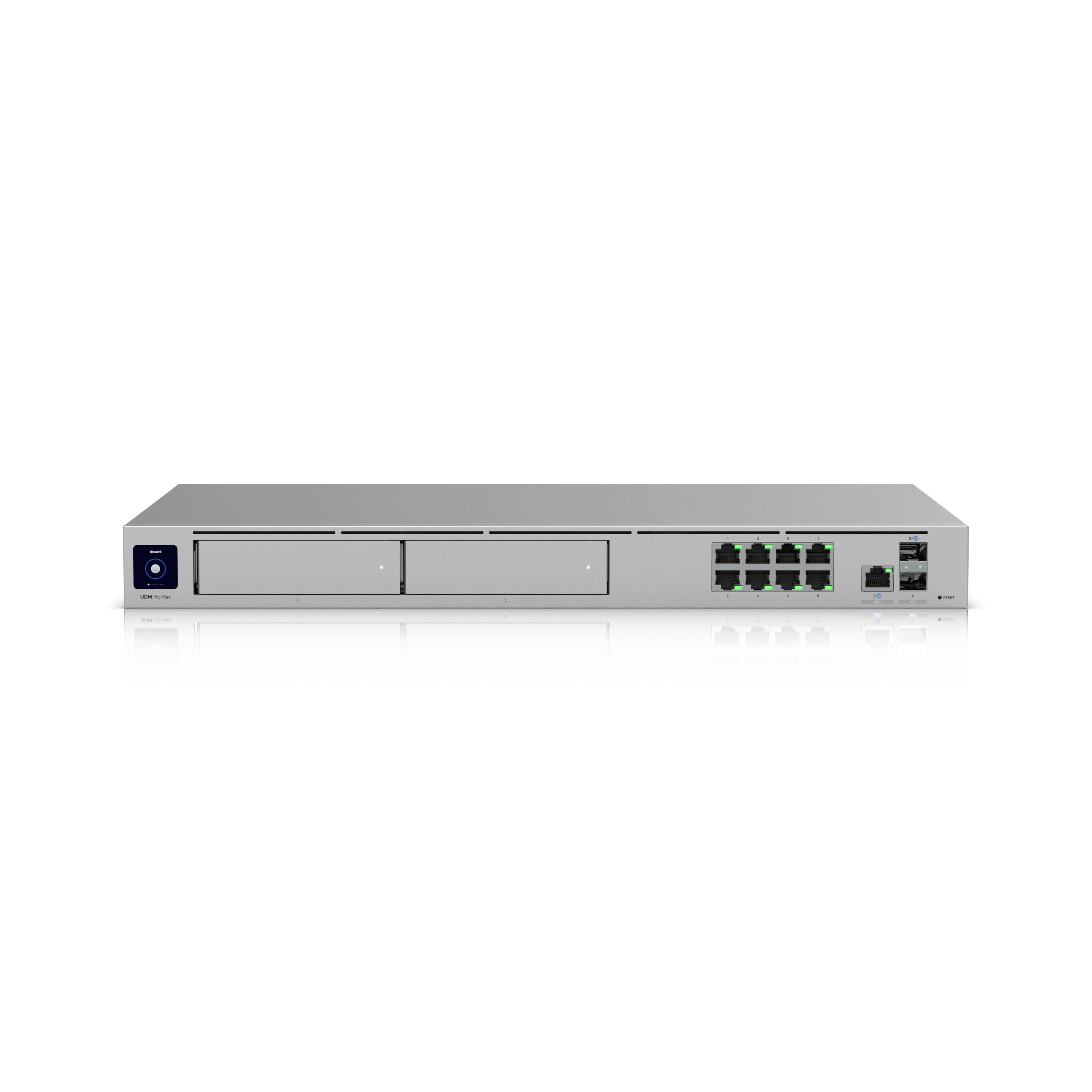
| UDM-Pro | $588 | Rack-mount, 8 cameras at 4K, 3.5″ drive bay. Worth the extra ~$157 over the UCG-Fiber if cameras are the plan, the NVMe-only storage in the UCG line caps at 2TB with no expansion. |
| UDM-Pro-Max | $926 | 15 cameras at 4K, two drive bays. |
The capability conversation, the honest upsell
Once the Legacy items are handled, everything else is a choice about capability, not a repair. Here’s what’s real:
| Upgrade | What you actually get | Cost |
|---|---|---|
| AC APs → U7 Pro | WiFi 7, 6 GHz, 2.5GbE uplink, much better with lots of devices at once. Your AC-Pro is fine; the U7 is faster and handles density better. | $257 ea |
| G3 cameras → G6 | The G3 line has no AI or smart detections at all. No person detection, no vehicle detection. G6 has them, plus 4K instead of 1080p. This is the single best reason to spend money in this whole design. | from $307 |
| US-16-150W → USW-Pro-24-PoE | PoE budget. 150W was fine for AC APs and G3 cameras. Add WiFi 7 APs and 4K cameras and 150W gets tight. This is a real constraint, not a sales line. | $1,025 |
“It’s EOL” mostly isn’t true, and using it where it isn’t will cost credibility. AI detections and PoE headroom are real reasons to spend. Fear isn’t.
What breaks if you undersize
Keeping the USG. It routes today. It is not getting security updates, and it’s your firewall. Features are already being removed in current releases. This is the one thing on the page we’d push on.
But, nobody can tell you a date. Ubiquiti floated a warning in one beta that USGs would stop being managed, then removed it in the next release. They still adopt on current firmware. Anyone giving you a deadline invented it. The argument is security updates, not a countdown.
Keeping the Cloud Key Gen1. No updates, and eMMC wear failures are a known pattern. When it dies it takes your config with it.
Replacing the AC access points because someone said EOL. They’re in the current catalogue. That’s a few hundred dollars per AP for no fix.
Replacing the G3 cameras “because they’re old”. They’re Vintage. Still patched, still working on Protect. Replace them for AI detections, which is a real feature you don’t have, or don’t replace them.
Expecting your old UniFi Video recordings to survive. They won’t. See above.
Adding WiFi 7 APs and 4K cameras to a US-16-150W without checking. 150W total. And it’s the constraint that sneaks up on you as devices get hungrier.
The expansion path
| Want | Do | Cost |
|---|---|---|
| Handle the Legacy items | UCG-Fiber. Replaces USG + Cloud Key. | $431 |
| Cameras, properly | UNVR ($430) or a UDM-Pro ($588). | $430+ |
| AI detections | G6 cameras. The actual reason to upgrade. | from $307 |
| PoE headroom | USW-Pro-24-PoE, 400W. | $1,025 |
| WiFi 7 | U7 Pro. Keep the AC APs in low-traffic areas, mixing generations is fine. | $257 ea |
| Door access | Nothing legacy blocks it. Hubs need PoE++, which the US-16-150W doesn’t have. | Design 5 |
The summary
Two items on your shelf genuinely need to go: the USG and the Cloud Key Gen1. One $431 box replaces both. If you’re still running UniFi Video, add a recorder, that platform is dead and has been since 2021.
Everything else (the AC access points, the switch, the G3 cameras) still works, is still supported, and still gets updates. Replace it when you want AI detections or WiFi 7 or PoE headroom. Those are real. “It’s EOL” mostly isn’t, and we’re not going to tell you it is.
The line that’s both true and worth remembering: Vintage means Ubiquiti still patches it and it still works, we’ll tell you when that’s fine. Legacy means the security updates stopped, that’s when we recommend you move.
Prices indicative CAD, all-in, hardware at the store price, labour separate. Lifecycle status per Ubiquiti’s official Vintage and Legacy page and the live techspecs.ui.com catalogue, checked 2026-07-16. Ubiquiti’s lifecycle page is not always freshly maintained, presence on it is strong evidence, absence is weak evidence. Re-checked quarterly.